

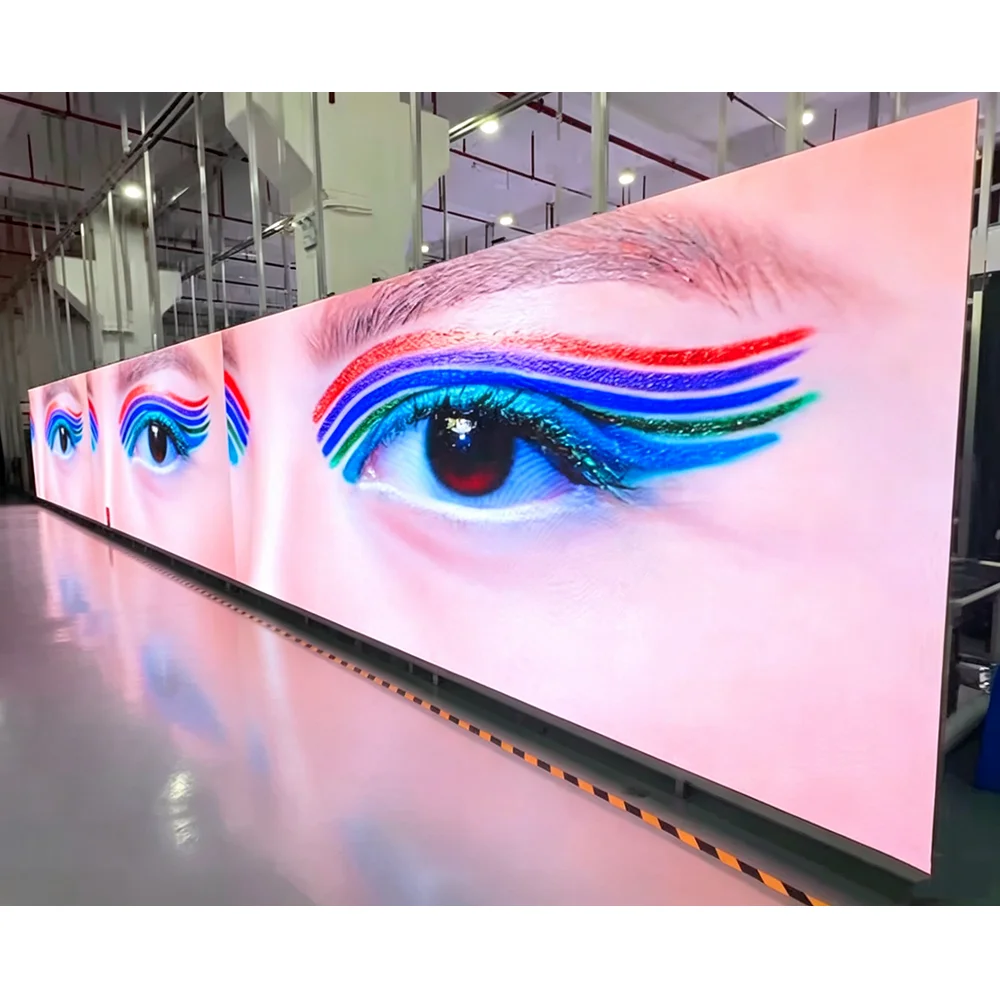
When planning an indoor visual solution, choosing the right pixel pitch is one of the most critical decisions affecting image quality, viewing distance, and overall project budget. Among the most popular indoor pixel pitches, P2, P2.5, and P3 LED displays dominate the market for conference rooms, commercial displays, churches, and control centers.
If you are searching for a P2 vs P2.5 vs P3 LED display comparison, indoor fine pitch LED video wall guide, how to choose pixel pitch for indoor LED screen, or cost difference between P2 and P2.5 LED module, this comprehensive guide covers technical specifications, visual performance, applications, and pricing factors to help you make an informed investment.
一、 What Is Pixel Pitch in Indoor LED Displays?
Before diving into the comparison, it is essential to understand what Pixel Pitch (denoted by “P”) means.
Pixel pitch refers to the distance in millimeters from the center of one LED pixel to the center of the adjacent LED pixel.
- P2 LED Display: 2.0 mm pixel pitch
- P2.5 LED Display: 2.5 mm pixel pitch
- P3 LED Display: 3.0 mm pixel pitch
Key Rule: Smaller pixel pitch = Higher pixel density = Sharper resolution = Shorter viewing distance = Higher cost.
二、 P2 vs P2.5 vs P3 Core Technical Comparison
To give you a quick overview, here is a side-by-side comparison table of P2, P2.5, and P3 indoor LED display modules:
| Feature / Specification | P2 LED Display | P2.5 LED Display | P3 LED Display |
| Pixel Pitch | 2.0 mm | 2.5 mm | 3.0 mm |
| Pixel Density (dots/㎡) | 250,000 dots/㎡ | 160,000 dots/㎡ | 111,111 dots/㎡ |
| Optimal Viewing Distance | 2.0 m – 3.0 m (6.5 – 10 ft) | 2.5 m – 5.0 m (8.2 – 16.4 ft) | 3.0 m – 8.0 m (10 – 26 ft) |
| Resolution Level | Ultra-High Definition (UHD) | High Definition (HD Balance) | Standard HD |
| Refresh Rate | ≥1920Hz / 3840Hz | ≥1920Hz / 3840Hz | ≥1920Hz |
| Module Packaging | SMD1212 / SMD1515 | SMD1515 / SMD2020 | SMD2020 / SMD2121 |
| Relative Cost Level | High / Premium | Medium / Best Value | Low / Budget-Friendly |
三、 Key Differences Breakdown
1. Pixel Density and Resolution
- P2 (250,000 pixels/㎡): Delivers ultra-clear imagery with high pixel density. Fine text and intricate graphic data can be clearly read even when standing close to the screen.
- P2.5 (160,000 pixels/㎡): The most popular “golden ratio” in commercial display markets, offering excellent crispness without the premium price tag of sub-2mm screens.
- P3 (111,111 pixels/㎡): Lower pixel density compared to P2 and P2.5, but provides smooth visual effects at a medium viewing distance.
2. Optimal Viewing Distance
A reliable formula for calculating minimum viewing distance is: Minimum Viewing Distance (meters) ≈ Pixel Pitch (mm).
- P2 Screen: Best viewed from 2 meters away. Perfect for intimate spaces where viewers are situated close to the video wall.
- P2.5 Screen: Ideal for audiences standing 2.5 to 5 meters away. It effortlessly bridges the gap between close and medium-range viewing.
- P3 Screen: Recommended for 3 to 8 meters viewing distance. Pixelation is virtually invisible once the audience steps back beyond 3 meters.
3. Project Budget and ROI
- P2 LED Video Wall: Requires significantly more LED lamp beads, drive ICs, and higher manufacturing precision, resulting in a higher cost.
- P2.5 LED Video Wall: Saves approximately 30%–40% in cost compared to P2, making it the most cost-effective option for business installations.
- P3 LED Video Wall: Offers the lowest cost per square meter—saving up to 50%–60% vs. P2, making it ideal for covering large surface areas on a limited budget.
四、 Recommended Applications
1. When to Choose a P2 LED Display?
P2 screens are tailored for high-end, professional indoor environments requiring fine detail:
- Control rooms and command centers
- High-end corporate boardrooms & conference displays
- Broadcasting studios and TV stations
- Luxury retail flagship stores & high-end showrooms
2. When to Choose a P2.5 LED Display?
P2.5 is the most versatile option for commercial and institutional projects:
- Corporate meeting rooms and executive suites
- Hotel banquet halls and auditoriums
- Church video walls and house of worship displays
- Shopping mall indoor advertising screens & trade show booths
3. When to Choose a P3 LED Display?
P3 is the go-to economic choice for large indoor venues with distant viewing requirements:
- Indoor sports arenas and gymnasiums
- Multipurpose halls and school auditoriums
- Wedding background stages
- Large exhibition centers and public transit hubs
五、 How to Choose the Right Pixel Pitch for Your Project?
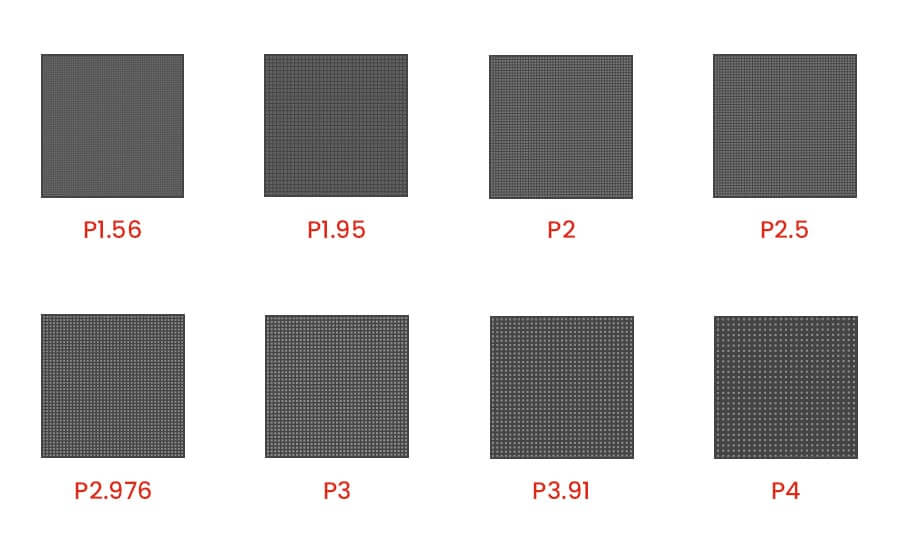
When deciding between P2, P2.5, and P3 indoor LED modules, consider the following key factors:
- Calculate the Audience Distance: Measure where the closest viewer will stand or sit. If viewers are closer than 2.5 meters, go with P2. If viewers sit 3 meters or further back, P2.5 or P3 will deliver great results.
- Define Content Requirements: If your display will show small spreadsheets, technical CAD drawings, or 4K videos, high resolution (P2) is required. For simple promo videos, presentations, or camera feeds, P2.5 or P3 is more than sufficient.
- Assess Screen Dimensions: If the total display area is small (e.g., under 6 m²), you need a smaller pixel pitch (P2 or P2.5) to achieve 1080p Full HD resolution. For very large screens (e.g., over 20 m²), P3 can easily hit 1080p/4K while saving substantial budget.
- Maintenance Access: Ensure you select front-service maintenance cabinets if wall mounting without rear access space.
六、 LED Display Price Factors
The final investment cost for P2, P2.5, or P3 video walls depends on:
- Pixel Pitch Choice: Smaller pitch increases module count and manufacturing complexity.
- Cabinet Material: Die-cast aluminum cabinets offer higher precision and better alignment than standard iron cabinets.
- Refresh Rate & IC Driver: Standard 1920Hz vs. High refresh rate 3840Hz (recommended for camera filming and live streaming without flicker).
- Control System & Processor: Video processors (Novastar, Colorlight, Linsn) for 4K video switching and signal distribution.
七、 Frequently Asked Questions (FAQ)
Q1: Is P2 always better than P3 LED display?
Not necessarily. While P2 offers higher resolution, P3 is much more budget-friendly and performs just as well if the audience is sitting 3+ meters away. Choose based on viewing distance and budget rather than pixel density alone.
Q2: What is the most popular pixel pitch for a church or conference room?
P2.5 is currently the best-selling choice for churches and corporate conference rooms due to its optimal balance of HD image quality, seamless display capability, and moderate pricing.
Q3: Can P2, P2.5, and P3 LED screens support 4K video resolution?
Yes! However, reaching 4K native resolution (3840 × 2160 pixels) requires different physical screen sizes:
- P2: Needs an ~7.68m × 4.32m screen size for native 4K.
- P2.5: Needs a ~9.6m × 5.4m screen size for native 4K.
- P3: Needs a ~11.52m × 6.48m screen size for native 4K.
八、 Final Thoughts
Choosing between P2, P2.5, and P3 indoor LED displays comes down to balancing viewing distance, screen size, and project budget:
- Select P2 for ultra-close viewing, sharp details, and high-end command or boardroom projects.
- Select P2.5 for the best overall ROI, versatile commercial applications, and clear HD visuals.
- Select P3 for large-scale indoor installations where cost efficiency and long-viewing distances dominate.
Need professional advice or a customized quotation for your indoor LED video wall project? Contact our engineering team today to get a tailored solution!
